
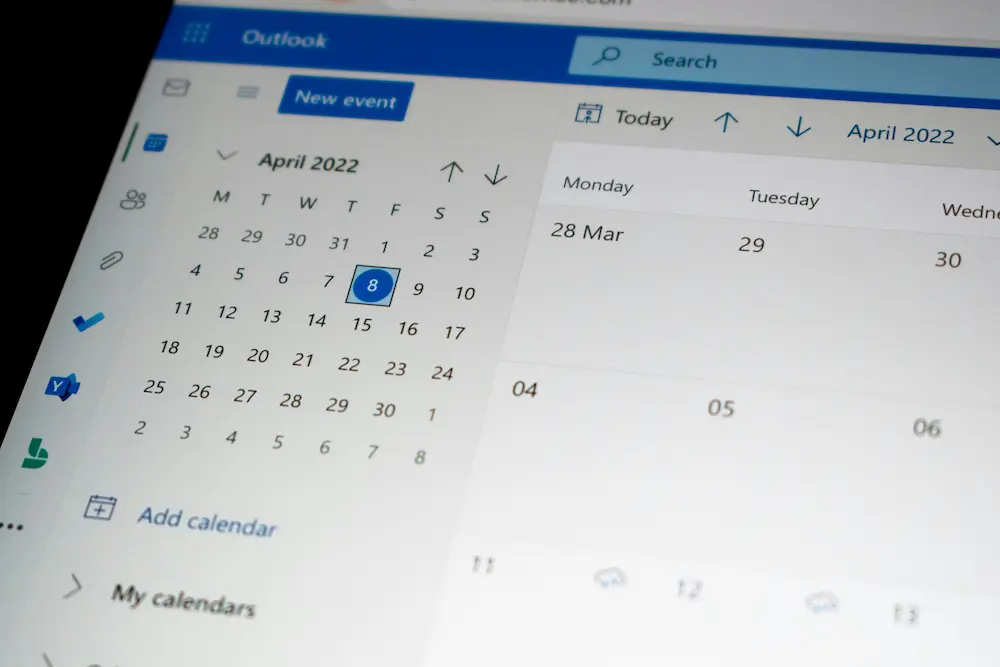
If you are trying to work out how to avoid double booking service appointments, the fix is rarely just “be more careful.” Overlapping appointments usually happen because the office is booking from stale availability, technicians are not blocked out correctly, unassigned jobs are hidden from view, or confirmations are sent before the schedule is actually locked.
For small service businesses, the practical answer is to create a scheduling workflow that makes availability visible before a customer is promised a time. That workflow should combine calendar rules, technician availability, dispatch checks, buffer time, and customer confirmations. Scheduling software can help, but only if the rules match how your team really works.
Simple rule: do not confirm a service appointment until the job has a real time window, an assigned technician or crew where required, and any necessary buffer or blocked time around it.
Why service businesses double book appointments
Double booking service appointments usually comes from process gaps, not one bad click. The most common causes are easy to recognise in small service teams:
- Manual entry errors: a CSR writes down a time, adds it later, and selects the wrong date, technician, or arrival window.
- Stale availability: the office calendar says a technician is free, but the field team has already taken an emergency job, run long, or blocked out time elsewhere.
- Weak handoffs: one person books the customer, another dispatches the technician, and nobody owns the final availability check.
- Multiple booking channels: phone calls, website booking, email requests, and repeat customers all create appointments without one shared calendar or dispatch view.
- Unassigned or hidden jobs: a job exists in the system but is not assigned, filtered into another view, or sitting on a different calendar, creating a false open slot.
The goal is not to remove every exception. Service businesses will always have urgent work, no-shows, cancellations, and jobs that run longer than expected. The goal is to stop preventable overlaps before the customer receives a confirmation.
Set calendar rules that prevent overlaps
Calendar rules are the first line of defence against avoidable overlap. They turn your scheduling preferences into repeatable controls that office staff do not have to remember from scratch every time.
Start with these rules:
- Earliest availability or lead time: decide how soon a customer can book. Same-day booking may be useful, but it also creates risk if the office cannot verify technician availability quickly.
- Booking intervals: use appointment spacing that reflects how you schedule work. Fifteen-minute slots may look flexible, but they can create unrealistic expectations if your team works in wider arrival windows.
- Availability windows: define which days and hours are bookable, and whether those hours vary by technician, crew, or service type.
- Blocked time: use non-bookable periods for meetings, training, time off, shop time, supplier runs, or admin tasks that should not be mistaken for customer availability.
- Buffers: add spacing where travel, setup, cleanup, paperwork, or customer handoff time makes back-to-back appointments risky.
Official product documentation shows why these settings matter. For example, Jobber online booking help describes online booking controls such as booking availability, earliest availability, and booking intervals. Those controls are not a universal guarantee against every conflict, but they show the type of rule-based scheduling setup that helps reduce accidental overlaps.
Calendar sync can be useful for visibility, especially if staff already live in Google Calendar or another calendar tool. But calendar sync alone is not a full anti-overlap control. It may show events in more places, but it does not necessarily enforce the same technician availability, dispatch capacity, booking interval, and customer-confirmation logic as a field service scheduling workflow.
Use technician availability as the source of truth
A shared business calendar is helpful, but service scheduling depends on technician availability. A slot is not truly open just because the company calendar has white space. It is open only if the right technician, crew, or role is available for the job and the schedule can absorb the appointment without creating a conflict.
For most small teams, this means the dispatcher or office manager should check:
- Which technician or crew can perform the job.
- Whether that technician already has assigned work during the requested window.
- Whether there are unassigned jobs waiting to be placed on the schedule.
- Whether the job type requires a longer window or specific arrival range.
- Whether the technician has non-job blocks, shifts, tasks, or time off.
Some scheduling platforms expose this through open-availability search, calendar views, dispatch boards, or capacity views. For example, Housecall Pro scheduling help describes scheduling jobs and estimates with options such as finding open availability, adjusting arrival windows, and choosing whether to notify the customer. ServiceTitan dispatching help describes dispatch boards, real-time visibility, and capacity planning concepts used to manage service schedules.
The operational lesson is vendor-neutral: make technician availability the source of truth before confirming the appointment. If staff book from memory, a personal notebook, or a filtered calendar view that hides unassigned work, the risk of double booking rises.
Add buffers and lead times where the workflow needs them
Buffers are not just travel time. They protect the schedule from anything that makes one appointment spill into the next: loading materials, job notes, customer questions, parking, building access, cleanup, estimate review, or office handoff.
Use buffers where the workflow needs protection most:
- Travel-heavy days: add space between jobs when technicians cover a wide area or cross busy routes.
- First-time customers: allow more time for intake questions, site access, or job clarification.
- Emergency work: hold capacity so urgent calls do not automatically collide with booked appointments.
- Recurring work: avoid stacking recurring visits so tightly that one delay affects the rest of the route.
- Complex jobs: block longer windows for jobs that often run over, even if the actual on-site work sometimes finishes faster.
Exact buffer controls vary by platform and plan, so treat buffer setup as something to verify in the current product documentation before relying on it. If the software does not support the exact buffer logic you want, document a manual office rule instead. For example: “Do not book another job within 30 minutes after any two-hour diagnostic appointment” or “Leave one floating emergency slot before 2 p.m.”
Lead time is just as important. If customers can book an appointment too close to the current time, staff may not have enough time to check availability, assign the job, prepare the technician, and send a reliable confirmation. Same-day availability can work, but it needs a stricter dispatch check than next-week booking.
Use confirmations and reminders to catch mistakes early
Customer confirmations and reminders help reduce confusion, but they should come after the availability check, not before it. A reminder sent for the wrong technician, wrong day, or overlapping time window can make a scheduling error harder to unwind.
A practical confirmation sequence looks like this:
- Check live technician or crew availability.
- Create or update the job with the correct date and arrival window.
- Assign the job if assignment is part of your scheduling workflow.
- Apply any buffers or blocked time needed around the appointment.
- Send the customer confirmation only after the schedule is locked.
Customer-facing messages should clearly communicate the appointment date, arrival window, and any basic expectations the customer needs to know operationally. Keep the language simple. The goal is to catch date, time, and address mistakes early, not to turn the scheduling workflow into a full customer relationship management process.
For teams with frequent phone bookings, the CSR can add a final verbal check before saving the appointment: “I have you down for Tuesday between 10 and 12, and I am confirming that slot now.” That small habit catches many mismatched dates and misunderstood arrival windows before they become double bookings.
What scheduling software can do to reduce double booking
Scheduling software cannot fix a broken office process by itself, but it can make the right process easier to follow. When reviewing scheduling or dispatch features, look for safeguards that support the workflow rather than just a prettier calendar.
| Safeguard | How it helps prevent overlap | What to verify |
|---|---|---|
| Availability-based booking | Limits booking to defined bookable hours, windows, or resources. | Whether availability rules match your business hours, technicians, and service types. |
| Earliest availability or lead time | Stops customers or staff from booking too close to the current time. | Whether the control applies to online booking, internal scheduling, or both. |
| Booking intervals | Spaces available slots in a way that matches your scheduling model. | Whether intervals can support your typical appointment windows. |
| Dispatch board visibility | Helps the office see assigned work, open jobs, and potential conflicts before confirming. | Whether dispatch views show the information your office actually uses. |
| Capacity or resource views | Shows whether the team has enough available capacity for new work. | Whether setup is required and who has permission to configure it. |
| Customer notifications | Confirms the appointment and helps catch wrong dates or windows early. | Whether notifications are optional, automated, or controlled per appointment. |
Some booking, dispatch, or capacity features may be plan-based, admin-only, or require configuration. Before changing your process around a specific setting, verify that the feature is available in your current account and that the right staff have permission to use it.
If your current system cannot show unassigned jobs, technician availability, and schedule conflicts in one workable view, it may be time to evaluate broader scheduling software for contractors. If the problem is less about calendar entry and more about assigning work to technicians, a stronger dispatch software for small business workflow may be the better next step.
A simple anti-double-booking workflow for small teams
Small service businesses do not need a complicated scheduling playbook. They need a repeatable sequence that every CSR, dispatcher, owner, or office admin follows the same way.
- Start with one source of truth. Decide which calendar, schedule, or dispatch board is authoritative. Staff should not confirm appointments from side notes, texts, or memory.
- Check live availability first. Look for technician availability, unassigned jobs, blocked time, and any capacity limits before offering a slot.
- Assign or reserve the slot. If your workflow requires a technician assignment, assign the job before telling the customer the appointment is confirmed.
- Apply buffers. Add travel, setup, or complexity buffers where needed. If the system cannot enforce them automatically, use a written office rule.
- Send the confirmation after the schedule is locked. Confirm only when the time window, job record, and assignment are correct.
- Review conflicts daily. At the start or end of each day, scan for unassigned work, overlapping appointments, unusual filters, and jobs without confirmed windows.
This workflow is especially useful for owner-led teams where one person answers calls in the morning and dispatches later, or for growing teams where CSRs book jobs while technicians update the field schedule. The more people who can create appointments, the more important the shared rules become.
Common warning signs your schedule needs stronger safeguards
If double booking keeps happening, look for patterns before blaming individual staff members. These warning signs usually point to a workflow issue:
- Customers receive confirmations before a technician is assigned.
- Technicians keep discovering new jobs that were not visible earlier in the day.
- Staff use different calendars for online bookings, phone bookings, and recurring work.
- Unassigned jobs are not reviewed daily.
- Same-day jobs are accepted without a dispatcher availability check.
- Arrival windows are too narrow for the type of work being scheduled.
- Staff rely on Google Calendar sync as the main conflict-prevention method instead of live scheduling rules.
Fix the most common failure point first. If unassigned jobs are the issue, create a daily unassigned-job review. If same-day calls cause the overlaps, add lead time or a dispatcher approval step. If the problem is recurring work, audit recurring appointments and blocked time before the next schedule fills up.
Conclusion: how to avoid double booking service appointments
The best way to avoid double booking service appointments is to make confirmation the final step, not the first step. Build the workflow around live availability, technician assignment, calendar rules, buffers, and dispatch visibility. Then use customer confirmations and reminders to reinforce the schedule after the slot is truly reserved.
Software can support this with availability-based booking, dispatch boards, capacity views, booking intervals, lead-time controls, and notifications. But the underlying rule is operational: one source of truth, one confirmed slot, and no customer confirmation until the schedule can actually support the appointment.
Frequently asked questions
What usually causes double booking in service businesses?
Double booking usually comes from stale availability, manual entry errors, weak handoffs between CSRs and dispatchers, unassigned jobs, or multiple booking channels that do not feed into one shared calendar or dispatch view.
Do customer reminders stop double booking?
Customer reminders help reduce confusion about dates, arrival windows, and appointment details, but they do not replace live availability rules. Reminders should be sent after the office verifies availability, assigns or reserves the slot, and locks the schedule.
Should buffers be used for every appointment?
Not always. Buffers are most useful when travel, setup, job complexity, emergency work, or customer handoff time makes back-to-back scheduling risky. Exact buffer controls vary by platform and plan, so verify what your scheduling system supports.
Is double booking a scheduling or dispatch problem?
It is usually both. Scheduling controls the calendar, appointment windows, and booking rules. Dispatch checks technician availability, assignments, unassigned work, and capacity before the job starts. This article focuses on that pre-job scheduling and dispatch workflow, not route execution or GPS tracking.